How to Take Screenshots of DOM Nodes using Google Chrome
Giovanni Benussi · 1 min read

Here’s a neat tip: if you want to take an screenshot of a DOM node, you can inspect the element by right clicking it and select “Inspect” as shown below:
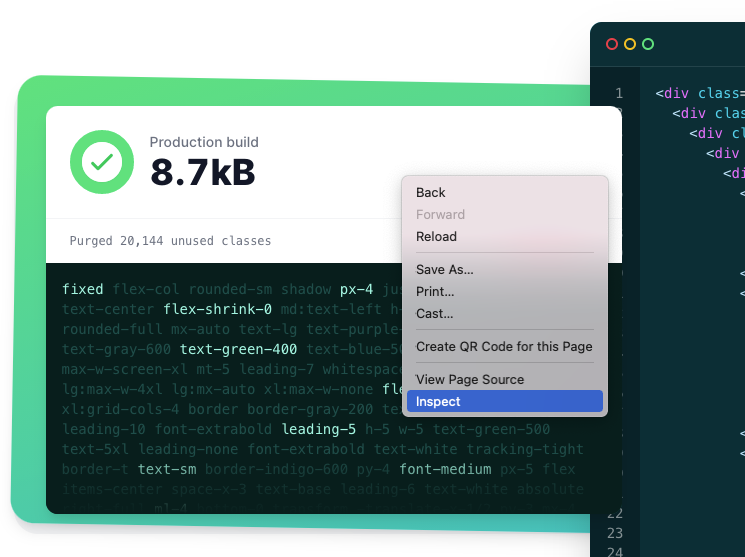
Inspecting an element from Tailwind’s official website.
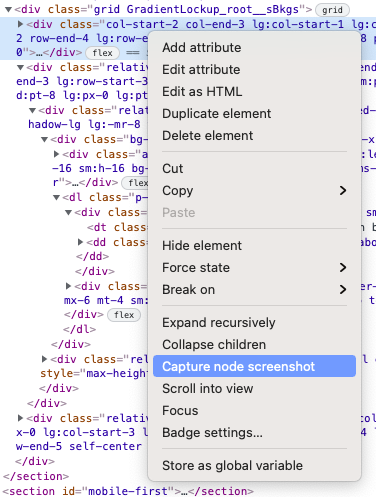
And then click “Capture node screenshot”:
That’s it! Your browser will download an screenshot of that DOM node to your Downloads folder.